Fortnite Tracker Explained: Is It Really Worth Using in 2026? (Features, Stats & Best Alternatives)
A good Fortnite match can feel very clear in your head. You remember the late-game fight you won, the shot you missed, and the squad game that slipped away. But memory is not always a useful coach. It remembers the highlight and forgets the ten games that led to it.
That is where Fortnite Tracker comes in.
A tracker turns your matches into numbers you can review: wins, kills, K/D ratio, win rate, ranked progress, recent results, and more. Used well, it can show whether you are getting better, where a bad session went wrong, and what kind of player you are becoming. Used badly, it can make every match feel like a report card.
So, is Fortnite Tracker worth using in 2026? For most players, the website is worth a look because it is a quick way to check public Fortnite stats and follow trends. The optional app is more useful for serious PC players who want live information and post-match detail. It is not essential, though. Fortnite is still a game, and no stat page can replace good decisions, practice, or having fun with friends.
This guide explains what the tracker does, how to use it safely, what its numbers mean, and which Fortnite Tracker alternative may suit you better.

What Is Fortnite Tracker?
Fortnite Tracker is the widely used Fortnite stats service from Tracker Network. Players commonly use its Fortnite site, often called Fortnite Tracker or Tracker.gg, to look up a public player profile and see available Fortnite Stats.
It is not made by Epic Games and should not be treated as an official Epic support service. It is a third-party companion tool. That distinction matters: it presents available game data in its own layout and may offer extra ratings, event tools, or overlays, but Epic Games is the source for the game itself.
A typical Fortnite Tracker profile can show career totals and seasonal numbers, such as:
- Wins
- Kills
- Matches played
- K/D ratio
- Win rate
- Score and time played
- Mode or playlist breakdowns, when data is available
- Recent Fortnite Tracker matches and performance trends
- Competitive event placements and Power Rankings on supported pages
The useful part is context. A total of 200 wins sounds impressive, but it tells you much more when you also see the number of matches, your current Fortnite Season results, and how your recent games compare with earlier ones.
Fortnite Tracker also has leaderboards, event pages, news, and an item-shop section. Its mobile app is available through major Android and iOS app stores. The Tracker.gg desktop app is a separate Windows PC overlay, not a tool for console play.
The service is free to browse for basic use. Features, page layouts, and data shown can change as Fortnite updates, so do not expect every mode or every past match to appear in exactly the same way.
How Does Fortnite Tracker Work?
At its simplest, Fortnite Tracker works by looking up a player’s public game data using their Epic display name. Search for a name, choose the right result if needed, and the service builds a player profile from the data it can access.
You do not normally need a Fortnite Tracker login just to search a public profile. Signing in can provide a more personal experience, such as saved favourites or session-related features, depending on the platform. Do not confuse a tracker account with your Epic Games account. They are not the same thing.
For your own profile to be visible, Public Game Stats needs to be switched on in Fortnite. In the game, go to Settings, open Account and Privacy, find Gameplay Privacy, and turn on Public Game Stats. If your stats are private, a tracker may show little information or nothing at all. Tracker Network also notes that it cannot retrieve stats for accounts below the relevant age setting.
The desktop overlay works differently from a simple website lookup. It runs on the same Windows PC as Fortnite and can show match-related information while you play. Tracker Network says its desktop app offers pre-game and in-match views, including teammate and opponent insights. It also says the app is compliant with supported titles. Still, it is wise to download it only from the official Tracker.gg page or recognised app store, keep it updated, and review its permissions before installing.
A tracker does not make you better by itself. It collects information. You improve by turning that information into one small change. For example, if your win rate falls after you start landing at a crowded point of interest, you might try a calmer landing spot for ten matches and compare the results.
Top Features of Fortnite Tracker
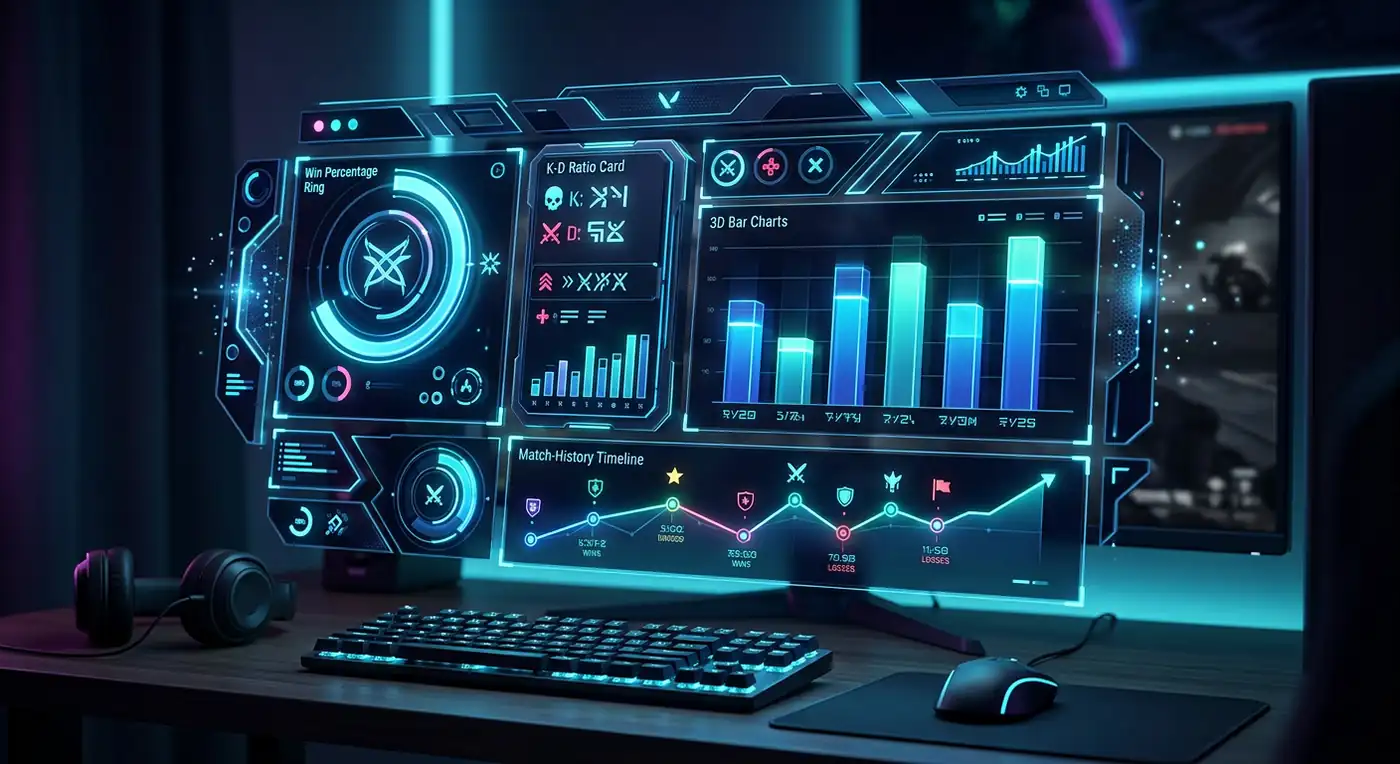
Fortnite tracker stats
The core feature is the stat page. It brings career stats and seasonal results into one place. You can see your kills, wins, matches, K/D ratio, and win rate instead of trying to remember them.
K/D ratio means kills divided by deaths. A higher number can suggest that you are winning more fights, but it does not tell the whole story. A player who avoids fights all game may protect their K/D while doing little to improve. Look at it beside wins, placement, and the kind of mode you play.
Win rate is wins divided by matches played, shown as a percentage. It is useful for spotting long-term progress, but it is naturally low in a large Battle Royale lobby. Do not compare your own rate to a streamer’s without considering their mode, skill level, teammates, and time spent playing.
Fortnite Tracker profile
A Fortnite Tracker profile is the page built around a player name. It is handy when you want to look at your own career stats, compare with friends, or check the public record of a player you met in a match. The profile may break stats down by platform, playlist, season, and game type where the available data supports it.
Use a profile as a progress diary, not a reason to judge yourself after one rough night. A sample of five matches is noisy. A pattern over several days or weeks is more useful.
Fortnite Tracker leaderboard
Leaderboards let you look at players near the top by measures such as wins, rating, Hype, or other available filters. They are entertaining and useful for seeing what competitive Fortnite looks like at a high level.
But leaderboards need context. One list may rank lifetime wins, while another focuses on a current event or a specific region. Check the label before deciding what a position means. A Fortnite Tracker rank on a third-party site is not automatically the same thing as your official in-game Ranked Mode rank.
Recent matches, event pages, and live tools
The service offers recent match information, event listings, and tournament tracking. Its mobile listing says players can follow live events, event leaderboards, upcoming events, and related news. The desktop app promotes Fortnite Tracker live-style in-match features, including a look at teammate stats, opponent data, and match timelines.
These features are most helpful for players who enjoy tournaments or want to review sessions. For a casual player, a quick look at recent results may be enough.
Fortnite Tracker app and download choices
There are two main ways to use the service beyond the browser. The Tracker Network mobile app is available for Android and iOS and includes Fortnite-specific pages such as player profiles, event information, leaderboards, shop updates, and favourites. The Fortnite Tracker download for the desktop overlay is for Windows PC; Tracker says it is not available for console play.
Be careful with search results. “Fortnite Tracker download” can lead to copycat pages, old installers, or unrelated tools. Start from tracker.gg/fortnite, the Google Play listing, the Apple App Store listing, or the provider’s official link. Never download a file from a video description or random file-sharing page.

How to Check Your Fortnite Stats
If you are wondering how to check Fortnite stats without making it complicated, use this simple method:
- Open the official Fortnite Tracker site in your browser.
- Search for your exact Epic Games display name. If several similar results appear, double-check platform and spelling.
- Open your Fortnite Tracker profile and look first at your current season, not only your lifetime total.
- Check matches, wins, K/D ratio, and win rate. Then look for one trend rather than trying to understand every number at once.
- If your profile is unavailable, open Fortnite and make sure Public Game Stats is turned on under Settings, Account and Privacy, then Gameplay Privacy.
- If you want to follow your own account more easily, use the Fortnite Tracker login option to save or personalise your tracker experience. Use a unique password and do not enter your Epic password into a site that is not the real Epic login page.
- After a session, write down one useful observation. For example: “I reached late game more often when I rotated early,” or “My accuracy fell when I played tired.”
The best way to track Fortnite wins is to compare the same type of games. Do not mix casual creative play, Zero Build, Build mode, tournaments, and ranked sessions into one conclusion. A win rate in one playlist may tell you nothing about another.
The same is true when you track Fortnite K/D ratio. Compare your K/D in the same mode over a fair number of matches. One amazing 12-kill game is fun, but it does not prove a trend. Ten or twenty matches give a clearer picture.
How to improve Fortnite stats without turning every match into work
Stats should lead to a small plan. Here are practical ways to improve Fortnite stats:
- Pick one landing spot for several matches. Learn its chests, exits, cover, and common player paths.
- Review why each early elimination happened. Were you low on shields, out of position, rushing, or simply beaten by a better shot?
- Practice aim or building in short sessions before playing Battle Royale. Ten focused minutes can be more helpful than another tired hour of matches.
- Rotate earlier. Many players lose good games by waiting too long for the storm.
- Play a few matches with the same squad. Better communication often improves placement more than raw aim.
- Take breaks after frustration. Tilt creates bad choices, and bad choices hurt every stat.
Your goal does not need to be “raise everything.” Pick one number or behaviour for a week. Maybe you want to survive the first circle more often. Maybe you want fewer deaths while carrying low heals. Small targets are easier to learn from.
Is Fortnite Tracker Safe?
The honest answer is: the official Fortnite Tracker website and official Tracker Network apps are generally reasonable tools to use for checking public stats, but safe use still depends on what you download and where you log in.
Tracker Network says its Windows desktop app is safe and compliant with supported game titles. That is the provider’s statement, not a promise that every Fortnite stat tool on the internet is safe. There are many pages using similar names, and some may be unrelated to Tracker Network.
Use these safety rules:
- Go to the official site directly instead of clicking an ad or a strange direct message.
- Download the Fortnite Tracker app only from the official website, Microsoft-linked download route where provided, Google Play, or the Apple App Store.
- Never type your Epic Games password into a page that does not clearly use Epic’s genuine sign-in flow.
- Turn on two-factor authentication for your Epic account.
- Do not install a “stat unlocker,” “free V-Bucks generator,” cheat, or file that claims a tracker must bypass Fortnite security. A legitimate stats tool does not need that.
- Read what an app asks permission to do. If it asks for more than a stats tool should reasonably need, stop and investigate.
- Keep Windows, Fortnite, and any optional tracker app updated.
There is also a privacy choice. A public profile means other people may be able to look up the stats that are available through the tracker. If that makes you uncomfortable, turn Public Game Stats off in Fortnite. A tracker is useful, but it is optional.
Fortnite Tracker accuracy can vary. Match data can take time to update, a profile can be private, a mode may have limited data, and a new Fortnite Season can change how pages display stats. Treat the page as a helpful record rather than an official referee in an account dispute.

Pros and Cons
🟢 Pros
- Fast access to public Fortnite player stats.
- Clear view of wins, kills, matches, K/D ratio, and win rate.
- Seasonal progress tracking instead of relying on memory.
- Leaderboards and event pages for competitive followers.
- Mobile app for on-the-go checks.
- Windows overlay for real-time overlay metrics.
- Basic features are completely free.
🔴 Cons
- Unofficial third-party service, not Epic Games.
- Requires public stat profile (privacy trade-off).
- Match data sync delays and api limitations.
- Desktop overlay only supports Windows PC.
- Extra metric stress can lead to burn out.
- Tracker score doesn't guarantee actual gameplay skill.
The main benefit is clarity. The main risk is taking the numbers too seriously. Use the tool to ask better questions, not to decide whether you are “good” or “bad” at Fortnite.
Best Fortnite Tracker Alternatives
Fortnite.gg
Fortnite.gg is one of the strongest alternatives if you want Fortnite stats alongside a highly visual map and planning tools. Its stats page offers leaderboards, rankings, wins, kills, and seasonal information. The site is especially popular with players who like to study the island, mark locations, and think about routes.
In a simple Fortnite Tracker vs Fortnite.gg comparison, Tracker is often the better choice for deep player-profile context, competitive event viewing, and its optional app ecosystem. Fortnite.gg is a great choice for map awareness, visual planning, and quick stat lookups. Many players use both because they solve slightly different problems.
Fortnite’s in-game Career and Ranked pages
The simplest Fortnite Tracker alternative is Fortnite itself. Epic’s own game menus are the first place to check your current Career and Ranked Mode information. They are the best source when you want to see your in-game status without sharing public stats or installing anything.
The downside is that in-game pages may not offer the same broad history, public profiles, event views, or comparison tools as dedicated tracker sites.
Other stat websites
Other websites can display player searches, leaderboards, and general Fortnite data. Before using one, check who runs it, whether it asks for a password, what it says about privacy, and whether it is actively maintained. A clean-looking page is not proof that it is trustworthy.
For most players, there is no need to sign up for several trackers. Choose one service that gives you the information you actually use. Too many dashboards can turn a fun game into a pile of numbers.
Final Verdict
Fortnite Tracker is worth using in 2026 if you want a simple, free way to check public player stats, follow progress across a Fortnite Season, view leaderboards, or keep an eye on competitive Fortnite events. It is particularly useful for players who want to track Fortnite wins, compare seasonal K/D ratio, and understand their match history without relying on memory.
The browser version is enough for most people. The Fortnite Tracker app and desktop overlay make more sense for players who like deeper data, event tracking, or a PC-based live view. Console players should remember that the overlay is not an option for them.
Use the official service, keep your Epic Games account secure, and never install a suspicious download just to see a number. Most importantly, do not let a Fortnite Tracker rank, a win rate, or one bad match decide how you feel about the game. Stats are a map, not the journey. Use them to spot one thing to improve, then get back into Battle Royale and play.

Related Content
 Latest Guides
 GTA 6 Lucia: Everything We Know About the New Grand Theft Auto VI Protagonist
Lucia is already one of the most talked-about people in Grand Theft Auto VI. Discover her confirmed background, relationship with Jason, trailer analysis, Vice City setting, gameplay details, and release date.
 Latest Guides
 Is GTA 6 Coming to PC? Release Date, Delay News, Price, Crossplay & Everything We Know
Is GTA 6 coming to PC? Find the confirmed console release date, the latest delay news, price details, crossplay status, and a clear guide for PC players.
 Latest Guides
 Will GTA 6 Have Crossplay? What Players Need to Know Before They Pre-Order
Will GTA 6 have crossplay between PS5 and Xbox Series X|S? Learn what Rockstar has confirmed, what remains unknown, how GTA 6 pre order options work, and why console prices matter.
Explore the Official Hub
Get more specs, news, and builds for Fortnite.
💬 Comments (0)
No registration requiredPost a Comment